Should you convert files to Markdown before giving them to Claude?
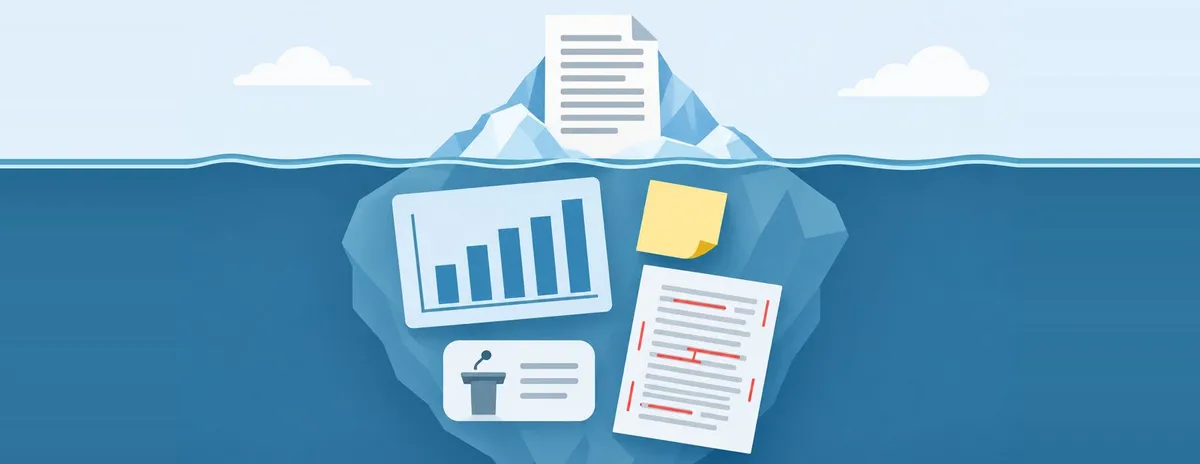
Claude usually gets the text. Whether it sees the charts, comments, notes and tracked changes depends on the file type.
You may have heard that it's good housekeeping, and saves on tokens, to convert your files to Markdown before giving them to Claude. (Markdown is plain text with a few symbols for headings and lists. Tokens are the small chunks of text Claude reads, and how its usage is measured.) It certainly sounds plausible, but I tested it and found the biggest saving was under 7p a question, and only for PDFs. However, converting also lost things Claude would otherwise have seen, like charts, comments and formulas. Where Markdown does earn its place is for things you write in it from the start, such as notes and instructions for Claude. The more interesting thing I found was that Claude can miss parts of the original files too, and it's easy not to notice.
What I tested
I built three documents for a fictional company and planted the things that tend to go missing, such as charts saved as pictures, speaker notes, reviewer comments, tracked changes and spreadsheet formulas. I added a published academic paper and the World Economic Forum's 290-page Future of Jobs Report 2025. Each went into a Claude Project in up to eight formats, and Claude answered 66 questions with known answers in 108 test chats across three models, all in November 2026. Claude helped build the test and graded it, so ChatGPT re-graded a sample blind and I checked some answers by hand. The details are in the appendices.
Converting saves little
A PDF uses more tokens because Claude reads each page twice, once as text and once as a picture (for PDFs of up to 100 pages; longer ones are read as text only). Convert it to Markdown and the picture goes, so each question costs a little less. At developer prices, this is what the cheaper version saved and what it lost:
| Document | Saving per question, Opus 5.5 | Saving per question, Sonnet 5.5 | What the cheaper version lost |
|---|---|---|---|
| 3-page policy | 1.4p | 0.7p | The chart and the reviewer comment, and it read a tracked change as accepted |
| 12-slide board deck | 5.7p | 2.8p | The chart saved as a picture (though it picked up the speaker notes) |
| 15-page research paper | 6.6p | 3.3p | Every chart with a free converter, nothing when Claude converted it |
The picture is also how Claude reads charts, which is why the cheaper versions lost them. When Claude did the conversion itself it kept the chart values, so if you do convert, ask Claude to do it rather than a free tool which may lose those.
For other formats there was even less to gain. Claude already reads a Word file as text, so converting it saved next to nothing and the Markdown version lost the reviewer comment. A spreadsheet in Markdown cost about 70% more to read than the same sheets as CSV, and both lost the formulas and comments that the Excel file kept. The 290-page report took up twice as much of the Project's space as Markdown as it did as a PDF.
In a Project on a paid plan you aren't billed per question, but heavier files use up your allowance sooner. If cost matters, switching to Claude's smallest model, Haiku 5.5, saved more than converting did on every PDF I tried, and it read the charts in all but one run. That's for finding and checking facts; Appendix C has the figures and the limits.
If you'll ask several questions about a long document, put it in a Project. In a normal chat, Claude re-reads the whole file with every message, so a long PDF eats into your plan faster with each follow-up. A Project reads its files in full while they fit, and content it has used recently counts for less against your limits. Once a Project's files get too big to read in one go, it switches to searching them and pulls in only the parts it needs, which is how it handled the 290-page report. For one quick question on a short file, a chat is fine. How much of your plan each route actually uses is probably a topic for another post.
Where Markdown does help
Converting a finished document gives you a second copy to make and check, and it goes out of date as soon as someone edits the original. For a saving of a few pence a question, I don't think that's worth the effort.
Markdown makes more sense the other way round. If you're writing something mainly for Claude to read, such as notes, instructions or a prompt you'll reuse, write it in Markdown from the start. I tested converting, not writing in Markdown, so this section is my view rather than a test result.
One conversion did help. Turning the PowerPoint file itself into Markdown wrote the speaker notes and chart data out as text, and Claude read them every time. It still lost the chart saved as a picture.
Claude can miss things in the original file too
In my board deck, the slides said the lease on a key warehouse runs out in June 2027, and the speaker notes added the bit a board would care about, which is that there's no right to renew. I uploaded the PowerPoint file and asked whether the company could renew. Claude said the deck didn't say. Perfectly honest, and completely unhelpful, because it never saw the notes.
That had nothing to do with Markdown. Here's what reached Claude from each original file type in a Project:
| You upload | Claude read | Claude missed | What to do |
|---|---|---|---|
| Word (.docx) | Text, tables, footnotes, reviewer comments | Charts and images, and pending tracked changes, which it read as accepted | Add a PDF copy if the charts matter, and resolve tracked changes first |
| PowerPoint (.pptx) | Slide text and tables | Speaker notes, the data behind charts, and charts saved as pictures | Paste the notes in, and add a PDF copy if the charts matter |
| Excel (.xlsx) | Values, formulas, cell comments and exact cell references | Nothing material, though Haiku sometimes missed a cell comment | Keep it as Excel |
| PDF, short | Text, tables and charts, including charts saved as pictures | Speaker notes and comments, unless they were printed on the page | The best single format for charts |
| PDF, long (290 pages) | Text, found by search rather than read cover to cover | Nothing I asked about, with all 8 questions right in every run | Upload the PDF |
Claude reads what's on the page, or what can be pulled out as text. Whether it sees notes, comments, edits and pictures depends on the file type. I tested one file at a time, so uploading a second copy alongside is my suggestion rather than something I measured.
Two things to watch
Tracked changes on a Word doc turned out to be more about prompting than format. I asked Claude and ChatGPT to pull two clauses out of a real legal letter with several reviewers' edits. Both gave back clean-looking text without mentioning the edits. Claude treated them as accepted, and ChatGPT mixed a proposed deletion back in as if it were live. Neither was unable to read the markup. When I asked them to look for edits and comments in a normal chat, both found them all, though Claude took a few rounds. A Project is different. There Claude only sees the accepted text, and in my controlled test it missed all three pending edits even when asked directly. So in a chat, tell it the file has tracked changes and ask it to list them. In a Project, resolve them first, or upload a PDF with the markup showing.
A gap looks just like an honest answer. Claude didn't invent a figure in any of the 1,569 answers it gave (my prompt asked it to say when something wasn't there). So when the file type hides something, you get "not in the document", which reads exactly like the document not covering it. If you know the answer is in there, it's worth checking the file type first.
What to do
- Upload the original file. Converting saved a few pence at most and lost charts, comments or formulas.
- Write in Markdown from the start when the content is for an LLM, such as notes, instructions or prompts.
- Match the format to what matters. Use a PDF for charts and Excel for formulas, paste speaker notes in separately, and resolve tracked changes first. In a normal chat you can also ask: "This document has tracked changes and comments. Show the text as marked up and list each insertion, deletion and comment."
- If Claude says "not in the document", check the file type before you doubt the document.
The method, full results and limitations are in the appendices below.
Appendix A: how the test was run
Documents. Three fictional documents for one fictional company, each with features planted on purpose and answer keys written before testing:
| Document | Size | Planted features |
|---|---|---|
| Word credit policy | 3 pages | Footnote, tracked change, reviewer comment, chart saved as an image, cross-references, exceptions to exceptions |
| PowerPoint board deck | 12 slides | Speaker notes, native chart, chart saved as an image, EBITDA bridge drawn as separate shapes, small-print footnote |
| Excel budget | 5 sheets | Cross-sheet formulas, cell comments, hidden sheet with an out-of-date rate, sensitivity block, native chart |
Two real documents served as a check: a 15-page academic paper with unlabelled figures, and the World Economic Forum's Future of Jobs Report 2025 (290 pages).
Formats. 24 in total, one per Project. The Word policy was tested as Word, PDF, a simulated scan, plain text, automatic Markdown, hand-corrected Markdown, Markdown made from the PDF by a free tool (MarkItDown), and Markdown made from the PDF by Claude. The deck, the budget and the two real documents had similar sets, including CSV for the budget.
Questions. 66, each with an answer key and partial-credit guide: 17 on the policy, 15 on the deck, 15 on the budget, 11 on the paper and 8 on the WEF report. Each was labelled by type: direct, exception, table, cross-reference, chart, formula and not in the document.
Want to bring this to your team?
We design bespoke AI training around your team's actual workflows.
Get in TouchModels and runs. Sonnet 5.5 answered all 24 formats three times (72 runs). Haiku 5.5 and Opus 5.5 each answered the native and automatic-Markdown versions of the three fictional documents three times (36 runs between them). That makes 108 runs, all at Medium effort, in November 2026. The follow-up runs below are on top of these.
Controls. Each Project held only its test file and no instructions. Every run used a new chat. Memory, past-chat search, web search and connectors were off.
Prompt. Every run used the same prompt, with all of a document's questions asked together in shuffled order. The prompt told Claude to answer "Not in the document" when it could not find an answer.
Follow-up tests.
- Reruns. In the main runs, the CSV Project delivered only headers in 2 of 3 runs, and Haiku reported the native Excel file as empty in 1 of 3. Six reruns of those two Projects all loaded, so the failures look intermittent. Claude graded them; there was no ChatGPT check.
- Tracked changes. A one-page Word policy with three pending edits (a deletion, an insertion and a replacement), run three times each on Sonnet and Opus. All six runs treated the edits as accepted, and none noticed them when asked at the end.
- Haiku on PDFs. Haiku 5.5 ran three times on each of the policy, deck and paper PDFs, with the Sonnet prompts unchanged, to test the cost advice.
- A real legal letter (informal). One confidential letter with several reviewers' edits and comments, asked once each in a regular Claude chat, a Claude Project and ChatGPT, and not scored. Its details are not published. Asked simply to extract two clauses, Claude and ChatGPT both returned clean-looking text without mentioning the edits. Claude showed them as already accepted. ChatGPT mixed a proposed deletion back in as live wording, then said a clause was unchanged when it wasn't. Asked to check the file properly, both recovered every edit and comment in a regular chat, though Claude took a few rounds. In the Project, Claude couldn't, because it sees only the accepted text.
Tokens were counted with the API's free token-counting tool.
Appendix B: grading and results
Scoring. Each answer was scored 0 to 3 against its key, with material errors (stating something false as fact) flagged separately. Honest "not in the document" answers and load failures were counted apart from errors.
Graders. Claude graded all 1,569 answers. ChatGPT then re-graded a blind sample of 80, stratified by question type, format and model, without seeing Claude's scores, the format or the model. It agreed on all 80. I spot-checked 10 answers by hand, chosen from the rows ChatGPT flagged and the zero and partial scores. No material errors were found. Both graders used the same written answer keys, so their agreement shows the keys were applied consistently, not that the keys themselves are right.
Two views of the results. The controlled set (38 questions) covers only information that survives in every format, so it shows how well Claude reads each format. Every format scored full marks there, apart from one counting slip on a single question that appeared in six of the seven deck formats. The practical set covers all questions, including those where a format loses the chart, notes, comment or tracked change. That is where the differences in the main text come from.
Results by planted feature. Counts are answers across all runs and models. Every miss was a decline ("not in the document"), not an invented answer. On the speaker-notes questions, Claude sometimes worked out reported EBITDA from other slides instead, and got it right.
| Feature | Reached Claude, full marks | Missed |
|---|---|---|
| Chart saved as an image, values labelled | PDF, simulated scan, Claude's Markdown conversions, hand-corrected Markdown: 36 of 36 | Native Word and PowerPoint, automatic Markdown, free-tool Markdown, plain text: 0 of 69 |
| Paper figures without value labels | PDF and Claude's Markdown: 12 of 12, values within range | Free-tool Markdown: 0 of 6 |
| Native chart data (deck) | Every format except native PowerPoint: 24 of 24 | Native PowerPoint: 0 of 9 |
| Speaker notes | Automatic and hand-corrected Markdown: 24 of 24 | Native PowerPoint, PDF and all PDF conversions: 0 of 42 |
| Word reviewer comment | Native Word 9 of 9, hand-corrected Markdown 3 of 3 | PDF, simulated scan, plain text, automatic Markdown, PDF conversions: 0 of 24 |
| Tracked change flagged | PDF, simulated scan, both PDF-to-Markdown conversions, hand-corrected Markdown: 15 of 15 | Native Word, plain text, automatic Markdown: 0 of 21 |
| Excel cell comment | Native Excel 7 of 8, hand-corrected Markdown 3 of 3 | Automatic Markdown 0 of 9, CSV 0 of 1 |
| WEF report (8 questions) | PDF and free-tool Markdown: 48 of 48 | None |
Other planted features. None of these tripped Claude in any format: the hidden spreadsheet sheet with an out-of-date exchange rate, the EBITDA bridge drawn as separate shapes, and percentages that converted Markdown showed as decimals.
Reliability. Each format and model combination ran three times. 513 of 523 question-and-format pairs (98.1%) got the same score every time, and six of the ten that varied were the counting slip.
Citations. I checked in code that each answer's cited location matched the key. Native Excel cited the exact cell in all 104 answers. Automatic Markdown named the sheet but not the cell in 102 of 117, and CSV named only the sheet. Claude's own PDF-to-Markdown conversion renumbered the deck's slides, so its slide citations no longer matched the original.
Appendix C: tokens, prices and conversions
Tokens and what they buy. A PDF uses more tokens because Claude reads each page as an image as well as text, for the first 100 pages. The page image adds about 1,580 tokens a page, so the saving from Markdown grows with the number of pages, not the amount of text. Those extra tokens are also how Claude read the charts, so the table shows what each format lost as well as what it cost.
Tokens were measured with the API's token counter and were identical for all three models. Costs are per question at Opus 5.5 API list prices; Sonnet 5.5 costs half. Word and PowerPoint files can't be counted through the API, so they are not shown.
| Document | Format | Input tokens | Cost per question (Opus 5.5) | What Claude lost |
|---|---|---|---|---|
| Word policy, 3 pages | 7,278 | 2.2p | Reviewer comment | |
| Simulated scan | 4,748 | 1.4p | Reviewer comment | |
| Plain text | 2,518 | 0.8p | Chart, comment; tracked change read as accepted | |
| Automatic Markdown | 2,581 | 0.8p | Chart, comment; tracked change read as accepted | |
| Hand-corrected Markdown | 2,844 | 0.9p | Nothing (restored by hand) | |
| Board deck, 12 slides | 20,880 | 6.3p | Speaker notes | |
| Automatic Markdown | 2,091 | 0.6p | Chart saved as an image | |
| Hand-corrected Markdown | 2,062 | 0.6p | Nothing (restored by hand) | |
| Excel budget, 5 sheets | CSV (5 files) | 1,755 | 0.5p | Comments, formulas |
| Automatic Markdown | 2,960 | 0.9p | Comments, formulas | |
| Hand-corrected Markdown | 4,300 | 1.3p | Nothing (restored by hand) | |
| Research paper, 15 pages | 49,200 | 14.9p | Nothing | |
| Free-tool Markdown | 27,299 | 8.3p | Figures (charts) | |
| Claude's Markdown | 27,282 | 8.3p | Nothing | |
| WEF report, 290 pages | PDF (sent whole, API) | 778,454 | £2.36 | Nothing I asked about |
| Free-tool Markdown | 621,665 | £1.88 | Nothing I asked about, but columns interleaved |
The WEF figures are for sending the whole file through the API. Only its first 100 pages carry page images; the rest are read as text only, which is why the gap with Markdown works out at about 540 tokens a page rather than 1,580. In a Project the same PDF was stored as text and searched, and it used half the space of the Markdown, so these figures did not apply there.
Prices. API list prices in November 2026, converted at $1.32 to the pound: Opus 5.5 $4, Sonnet 5.5 $2 and Haiku 5.5 $0.10 per million input tokens (Haiku rises to $0.50 above 100,000 tokens). Sending the whole WEF PDF costs about £2.36 a question on Opus and £1.18 on Sonnet. With prompt caching, which charges much less for content sent again, every follow-up question costs less still, so the saving from converting shrinks further. Claude API pricing
Project space. The WEF PDF used 12% of a Project's capacity and its Markdown 24%. The Project appears to store a PDF over 100 pages as extracted text only, while the Markdown was padded with spaces and table borders. Short files all registered at the bar's smallest step, 1%.
Free converter versus Claude's conversion. The free tool (MarkItDown) lost every chart saved as an image, and on the WEF report it interleaved sentences from neighbouring columns. Claude's own PDF-to-Markdown conversion kept the chart values at almost the same token count. The conversion itself costs tokens once, because Claude reads the PDF and writes the Markdown, so it pays back only after several questions: about 2 to 5 for the policy, 2 for the deck and 3.5 to 8.5 for the paper.
A smaller model versus converting. Haiku 5.5, Claude's smallest model, answered the PDF questions almost as accurately as Sonnet 5.5, charts included, at a fortieth of Opus 5.5's input price. Switching model saved more than converting on every PDF:
| Document (PDF) | Saving from converting to Markdown, Opus 5.5 | Saving from switching Opus 5.5 to Haiku 5.5 |
|---|---|---|
| 3-page policy | 1.4p | 2.2p |
| 12-slide board deck | 5.7p | 6.2p |
| 15-page research paper | 6.6p | 14.5p |
Haiku missed one chart saved as an image in one of three deck runs, where Sonnet read it every time. It was also less reliable at spotting comments in Excel cells, so use a larger model for spreadsheets whose cell notes matter. These questions asked Claude to find facts, apply a policy rule or do simple sums from one document. I didn't test Haiku on judgement, analysis across documents or drafting.
Appendix D: limitations and disclosures
- Case studies, not rates. I tested one document per type, so the results show what can happen, not how often.
- Claude Projects only. Files attached directly to a chat, or read through a connector such as SharePoint or Google Drive, may be handled differently. Beyond the informal legal-letter check in Appendix A, I didn't test them.
- One file per Project. I didn't test uploading two versions together, such as a Word file with a PDF copy, or a deck with its notes as a separate file. That advice is my recommendation, not a test result.
- A simulated scan. The scanned PDF was rasterised, blurred and slightly skewed by software, not scanned on paper.
- CSV export. The CSV version exported every visible sheet. Excel's own "Save as CSV" exports only the active sheet.
- A helpful prompt. The prompt told Claude to say "Not in the document" when it couldn't find an answer. That probably made unanswerable questions easier and reduced made-up answers. Without it, Claude may be more inclined to guess.
- All questions at once. Each chat asked all of a document's questions together, so answers could influence each other.
- Claude built and graded the test. Claude designed the documents, ran the test and graded it. ChatGPT's blind re-grade of 80 answers and my hand check of 10 are the independent checks.
- A revealing Project name. The tracked-changes Project's name hinted at the test and was mentioned in four runs' caveats. It changed no answer.
- Token counts for Word and PowerPoint are inferred. The API can't count them, so their cost is assumed to be close to their extracted text.
- Costs come from the API, results from Projects. The token counts and prices are for sending each file through the API, while the accuracy tests ran in Projects, which can store and read a file differently (as the 290-page report showed).
- Prices are illustrative. They are API list prices in November 2026. On a paid plan, the same tokens come out of your usage allowance instead.
- Things change. Platform behaviour can change without notice. All tests ran in November 2026.
Where to next
Claude training for teams
Bespoke, hands-on Claude workshops built around your team’s real work.
AI training by industry
Explore how the training changes across private equity, finance, consulting, consumer brands, property, tech, and more.
Results from real client work
See what bespoke AI training looks like when it is measured against real use cases and business outcomes.
How General Purpose works
See how we scope, customise, deliver, and measure AI training programmes.