Bespoke Microsoft Copilot training, built to stick
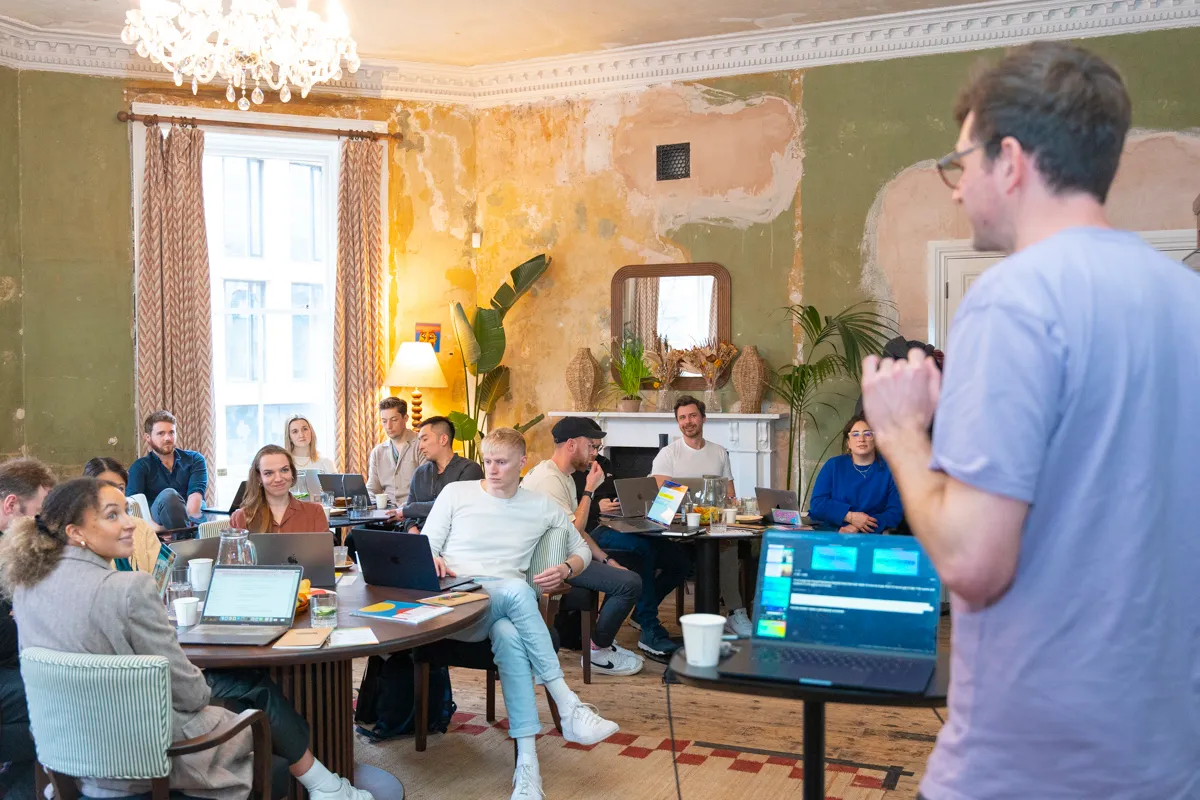
Our Mastering Copilot Programme is a hands-on, bespoke half-day workshop that gives your team the knowledge, confidence and skills to use AI well in their day-to-day roles. It runs on Microsoft Copilot and is built around your team’s real tasks and data, so people leave ready to apply what they’ve learned immediately.
Plenty of organisations have paid for Copilot licences and seen very little change. We build every session around the documents, spreadsheets and inboxes your team deals with every day, so people leave knowing exactly where Copilot saves them time and how to fold it into work they were already doing.
What people said after the class
97%
said the class will help them get more value from Copilot at work
97%
enjoyed the class
87%
would recommend it to a colleague
4 hrs
average time each person expects to save every week
Post-class surveys from 235 attendees across 19 Copilot classes.
For somebody that had not used any AI tools previously, the training was a massive eye opener for me. Thankfully, the course content was at a pace that allowed me to keep up.
Engineering manufacturer
…it took less than five minutes what it usually takes me hours.
Engineering manufacturer, on their practice project
Was a brilliant course. Very informative presenters were excellent.
Sales, security systems manufacturer
What your team walks away knowing
Every session is built from scratch around your work, but every session builds the same foundations.
01
Where Copilot fits your day
The AI trends shaping your industry and role, and where Copilot earns its place across your working day.
02
Strengths and limits
How large language models work, so your team understands the real strengths and the genuine limits.
03
Custom instructions and Memory
Setting custom instructions and Memory so Copilot carries your context, and switching on Think Deeper mode when a task needs more careful reasoning.
04
Prompting across M365
Prompt engineering aimed at real business problems across Word, Excel, Outlook, PowerPoint and Teams.
05
The Researcher and Analyst agents
Putting the Researcher and Analyst agents to work on real research and data questions, and organising sources in Copilot Notebooks.
06
Copilot working inside your apps
Letting Copilot work inside Word, Excel and PowerPoint to move from a prompt to finished work, and turning a call into follow-ups with Teams meeting recap.
07
Designer and visual work
Generating on-brand visuals with Designer for decks, documents and communications, without leaving Microsoft 365.
08
From personal to shared
Scaling from personal productivity to shared, repeatable workflows across the team, with an early look at Agent Builder and Copilot Studio.
09
Safe and compliant use
Using Copilot safely and ethically, covering bias, privacy and what the EU AI Act means for your team.
The capstone
Everyone finishes the session by building a working agent with Agent Builder around a task their team repeats, so people leave with a tool that does real work, not just notes.
Ready to get real value from Copilot?
We can usually map your highest-impact use cases in a single conversation.
We work each one through your team’s real tasks, so people leave with repeatable ways of working rather than tricks they saw once.
Get the model to interview you first
Have it draw out the detail it needs before it answers, then saves what it learns about you to Memory for next time.
Ground every answer in your own sources
Anchoring the model in your own source material to cut hallucination, by working inside a Notebook that holds the files your work depends on.
Stress-test your thinking with an adversarial review
Turning the model into a reviewer that argues the other side in the same Notebook, before anything goes to a client or the board.
Clone your house style from real samples
Building a tone-of-voice guide from your real writing so drafts in Word and Outlook read like you, or your firm, rather than generic AI.
Make the model critique and rewrite its own drafts
Having it critique its own draft and then rewrite it in the same Notebook, so quality climbs without you doing the editing.
Check answers for consistency before trusting them
Asking the same question of two documents three times across three fresh chats, so you can see where the differences really are.
Separate planning from execution
Making the model plan what the analysis should show first, then letting it run the analysis and build a dashboard from your data.
Debate decisions from multiple perspectives
Convening a panel of personas to debate a decision in a new chat, with each persona given a believable background and position.
Built in our workshops
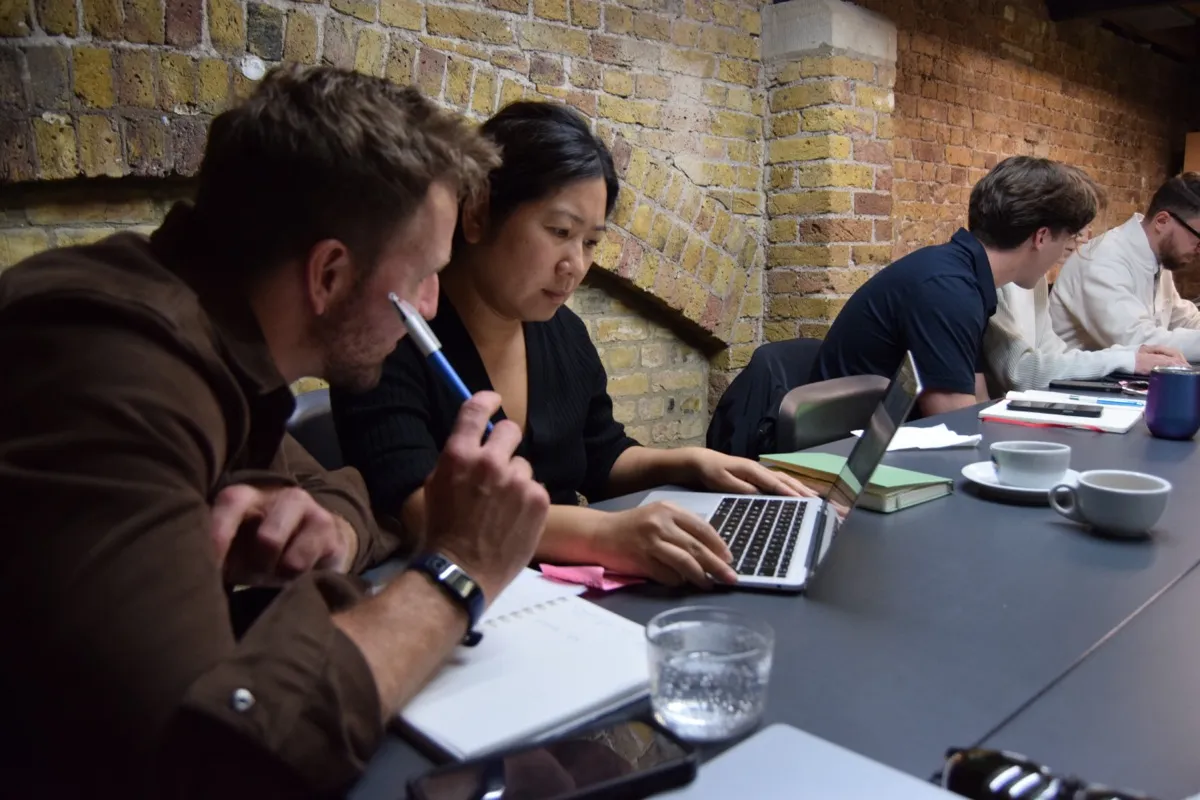
Our workshops are hands-on. People do not just learn features, they leave with working tools they have built around their own tasks. Here is a selection of what teams have built with us.
Employee handbook Q&A agent
Answers staff questions on policies, procedures and benefits.
Interview rehearsal and candidate simulation agent
Role-plays a candidate from their CV so hiring managers can practise their interviews.
Every programme follows the same eight steps, from a pre-workshop survey through to optional ongoing support, so the session is tailored to your team and you can see what it delivered.
01
AI Opportunities Survey
Every attendee completes a short pre-workshop survey on how they use AI now and where they want to, so we start from real behaviour rather than assumptions.
02
Customisation Call
A one-hour call where we present the survey results and tailor the workshop material to your team’s tasks and priorities.
03
Building Tailored Exercises
We spend half a day building exercises around your real workflows, so the practice on the day maps to the work your team actually does.
04
Workshop Delivery
The half-day hands-on workshop itself, delivered in person at your offices by default, or remotely if that suits your team better.
05
Impact Survey
A follow-up survey to measure confidence, adoption and the time your team is saving after the training.
06
Training Impact Report
A report showing the use cases your team developed, the time saved, the ROI and how confidence levels shifted.
07
Review Call
A follow-up call to go through the results together and agree the next steps.
08
Ongoing Support
An optional resurvey at three or six months to check adoption is sticking and see what support you need next.
A one-hour customisation call and half a day of bespoke exercise preparation
The half-day workshop itself
A post-training impact survey and Training Impact Report
A follow-up review call
12 months access to class resources and prompts via our online learning platform
Tailored update emails as new features are released for Copilot
Case study: Acrow Bridge
Mastering Copilot for UK + US
Engineering & Construction teams
Acrow Bridge, which designs and manufactures modular steel bridges for more than 150 countries, trained more than 100 people with us across four Mastering Copilot workshops, from senior leadership to engineering, commercial and finance teams.
“Really good introduction to the power of AI and ways in which it can be used. Hands-on and valuable from knowledgeable trainers.”
Matthew Leopold
Head of Brand, PR and Content Marketing, LexisNexis
Going further
Ready for Advanced Copilot and Agent Builder?
Once the essentials click, our advanced session moves confident users on to Copilot’s agents: handing over whole pieces of work across Word, Excel and PowerPoint, and building agents the whole team can use.
Every Microsoft Copilot session is led by one of our instructors, with a dedicated tutor in the room so nobody gets left behind.
Tom Hewitson
Founder + Chief AI Officer
Webby-award-winning technologist and entrepreneur with over a decade of experience working in AI.
Susi Castle
AI Instructor
AI Instructor at General Purpose with over a decade in marketing.
Meena Sangar
AI Instructor
OneTrust Responsible AI certified advisor helping organisations build people strategies for AI transformation.
Charlie Cadbury
AI Instructor
A multi-award winning technologist working at the leading edge of human-computer interaction with a focus on voice/AI assistants.
Gerhild Pirker
AI Instructor
Digital Publishing & Marketing Consultant with 16 years experience in Advertising and Communications with a focus on AI.
Louis Whittal
AI Instructor
Product designer and product manager with a background spanning front-end development, GenAI training, growth marketing, and advertising.
Cien Solon
AI Instructor
AI Transformation Consultant for the financial services industry.
Aaron Jones
AI Instructor
Exited founder, generative AI pioneer, and BEM recipient building creative tools for the AI video era.
Frequently asked questions
We already pay for Copilot. Why do we need training?
A licence is not adoption. Most people never get shown how to use Copilot inside their real work, so it goes unused. The training is what turns the spend into time saved.
Which Microsoft apps does the training cover?
We cover Copilot across the M365 apps your team uses, typically Word, Excel, PowerPoint, Outlook and Teams, and we weight the session towards the ones that matter most to you.
Do you cover Copilot’s agents, Agent Builder and Copilot Studio?
Yes. We cover Copilot working inside Word, Excel, PowerPoint and Teams (what Microsoft used to call Agent Mode), the Researcher and Analyst agents, Notebooks and Teams meeting recap, and everyone finishes by building a working agent with Agent Builder. Our Advanced Copilot and Agent Builder training goes further, and covers when a job needs Copilot Studio.
Should we train on Copilot or ChatGPT?
If your organisation has Microsoft 365 Copilot, start with Copilot: it works inside the Word, Excel, Outlook and Teams files people already use. Many organisations have both, and we can cover each where it fits best.
How do we get more value from our Copilot licences?
Usage often drops after rollout because people never see Copilot do their own work. We build the session around your team’s real documents and meetings, and the impact survey and report show what changed.
Does Copilot work within our Microsoft 365 security settings?
Yes. Copilot works within your existing Microsoft 365 permissions, so people only see content they already have access to. We send your admins a short checklist before the session so the right features are switched on.
Do people need technical skills?
No. The course is for anyone who works in Microsoft 365, and the instructor and tutor in the room make sure everyone keeps up.
Is the training delivered in person or remotely?
In person at your offices by default, with an instructor and a dedicated tutor in the room. We can also run it remotely when that suits your team better. Every course runs as a single half-day session.
Do we need technical experience to get value from Microsoft Copilot training?
No. We build every session around the way your team already works, so people start with their own tasks and documents rather than abstract theory. Complete beginners and confident users get value from the same room.
How do you measure the impact of the training?
Every attendee completes an AI Opportunities Survey before the workshop and a follow-up impact survey afterwards. You then get a Training Impact Report showing the use cases your team developed, the time saved, the ROI and how confidence levels shifted. We can also run an optional resurvey at three or six months to check adoption is sticking.
Do you run Microsoft Copilot training courses in London?
Yes. We are based in Covent Garden, London, and run most sessions in person at clients’ offices in London and across the UK. We also work with teams worldwide, from Paris and Berlin to New York and Singapore, and can run sessions remotely when that suits better.
Related reading
From The Distillation, our newsletter on putting AI to work.